Sci Forge
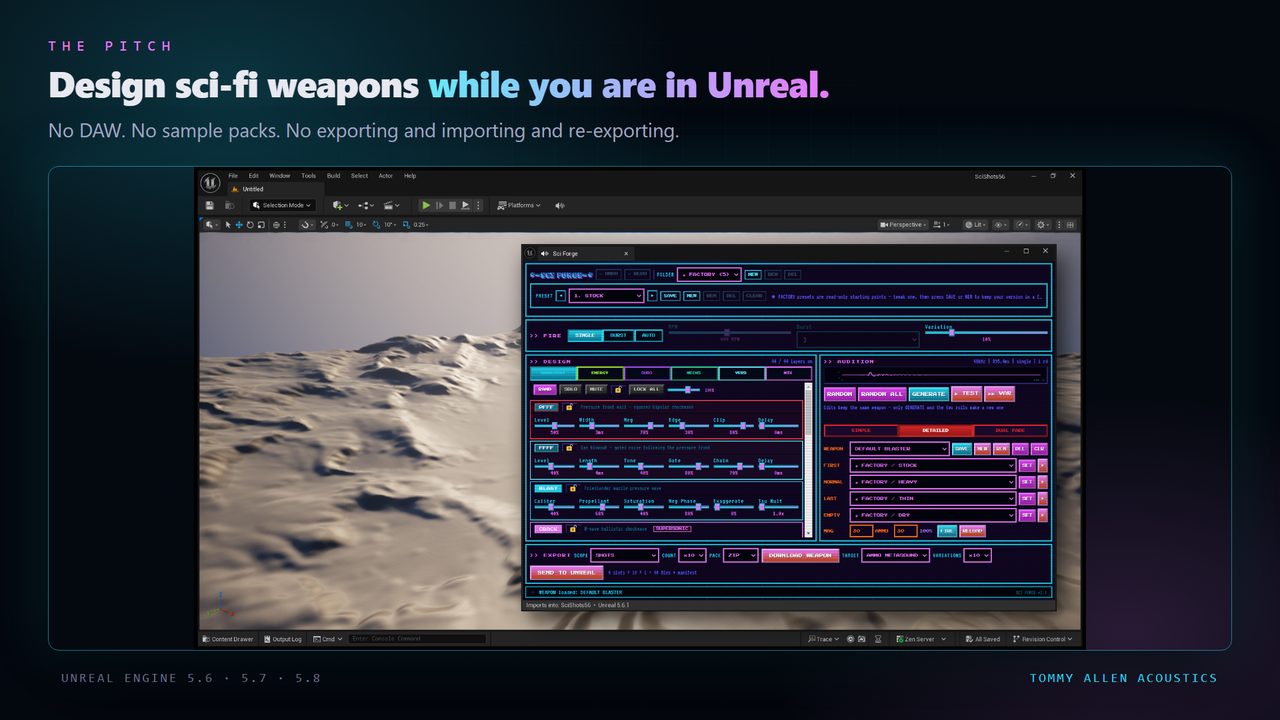
Build a plasma bolt, a railgun, a beam or a cryo weapon inside the Unreal Editor — charge-up, discharge, cooldown, dry fire — then press one button and it writes ready-to-use SoundCue and MetaSound assets into your open project. Pure synthesis, 44 layers, sitting on real blast physics.
>> WHAT IT DOES
Open the Sci Forge tab, design a weapon, press SEND TO UNREAL. SoundWaves, a plain SoundCue that plays a random take per trigger, and a MetaSound built with Epic's own MetaSound Builder — one folder, named after your weapon.
The button follows the view: SIMPLE exports one shot, DETAILED a whole weapon, DUAL FADE two voices that crossfade as the cell drains.
>> WHAT YOU GET
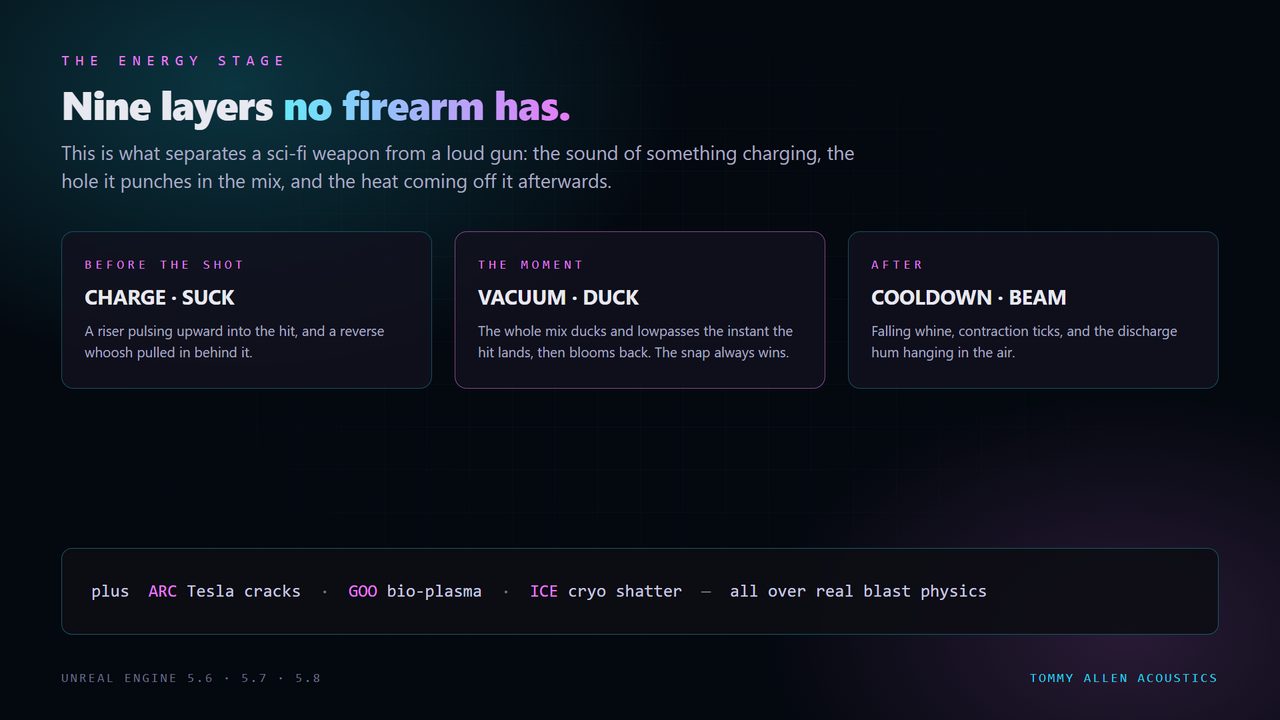
- The ENERGY stage — CHARGE, SUCK, VACUUM, DUCK, COOLDOWN, BEAM, ARC, GOO, ICE. Nine layers no conventional gun has, over real blast physics so it has mass instead of sounding like a synth patch.
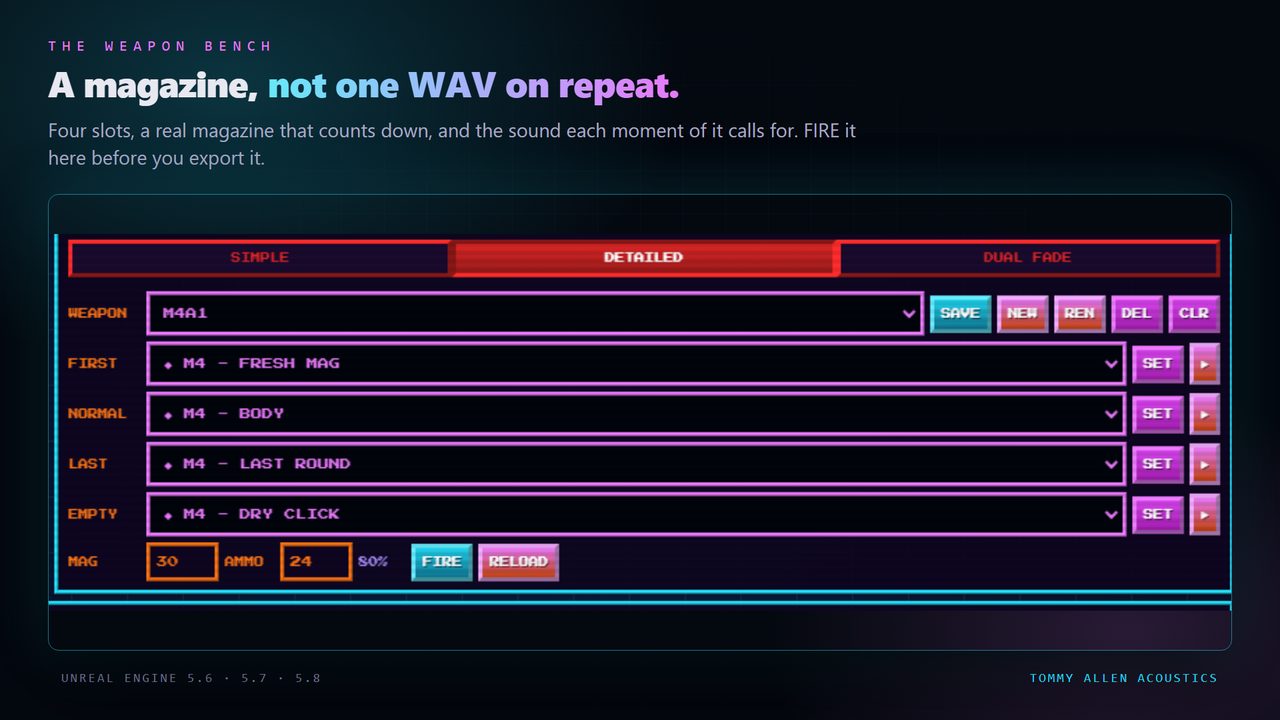
- The Weapon Bench — FIRST, NORMAL, LAST and EMPTY, with a cell that counts down.
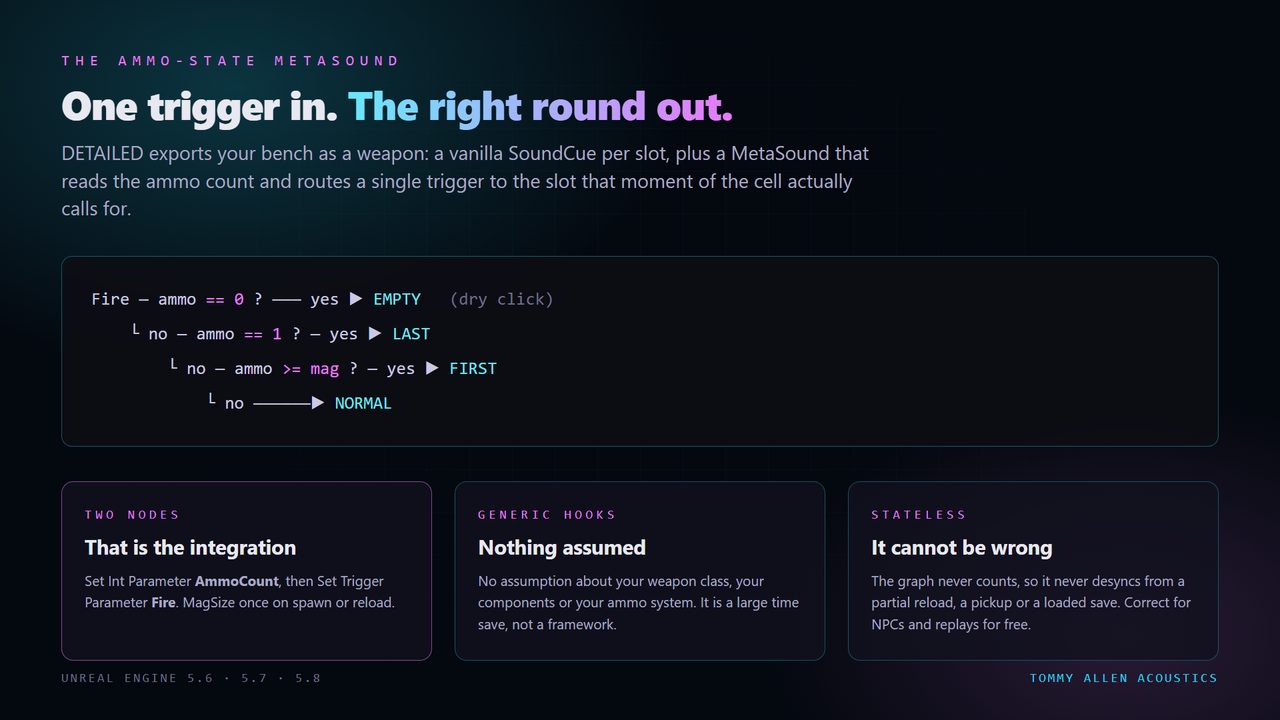
- Ammo-state export — one cue per slot plus a MetaSound that routes a single trigger from the count.
- Dual fade — a rifle that goes from clean to unstable as the cell drains. Anything you can normalise to 0-1 drives it: heat, charge, damage.
- 44 layers, 223 parameters — across TRANSIENT, ENERGY, SUBS, MECHS, VERB and MIX.
- Variation sets — 5, 10 or 15 distinct takes per import.
- Royalty free — every sound you generate is yours, any project, no attribution.
>> SEE IT
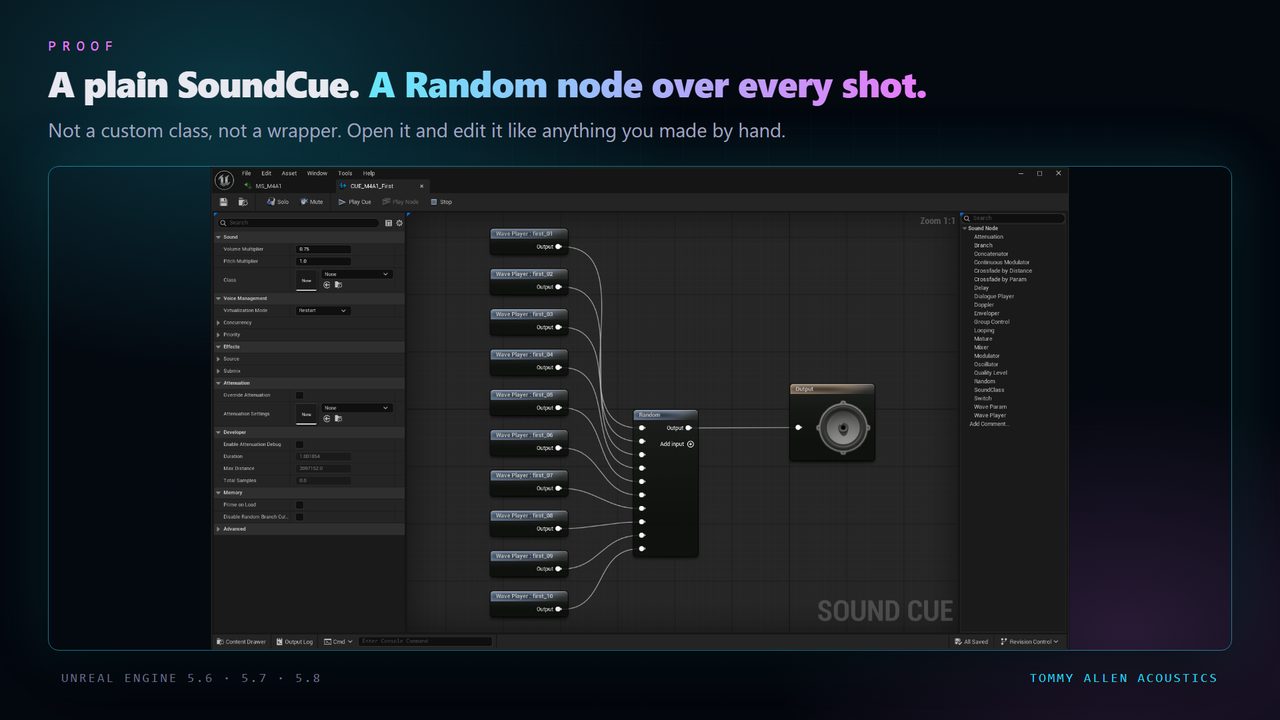
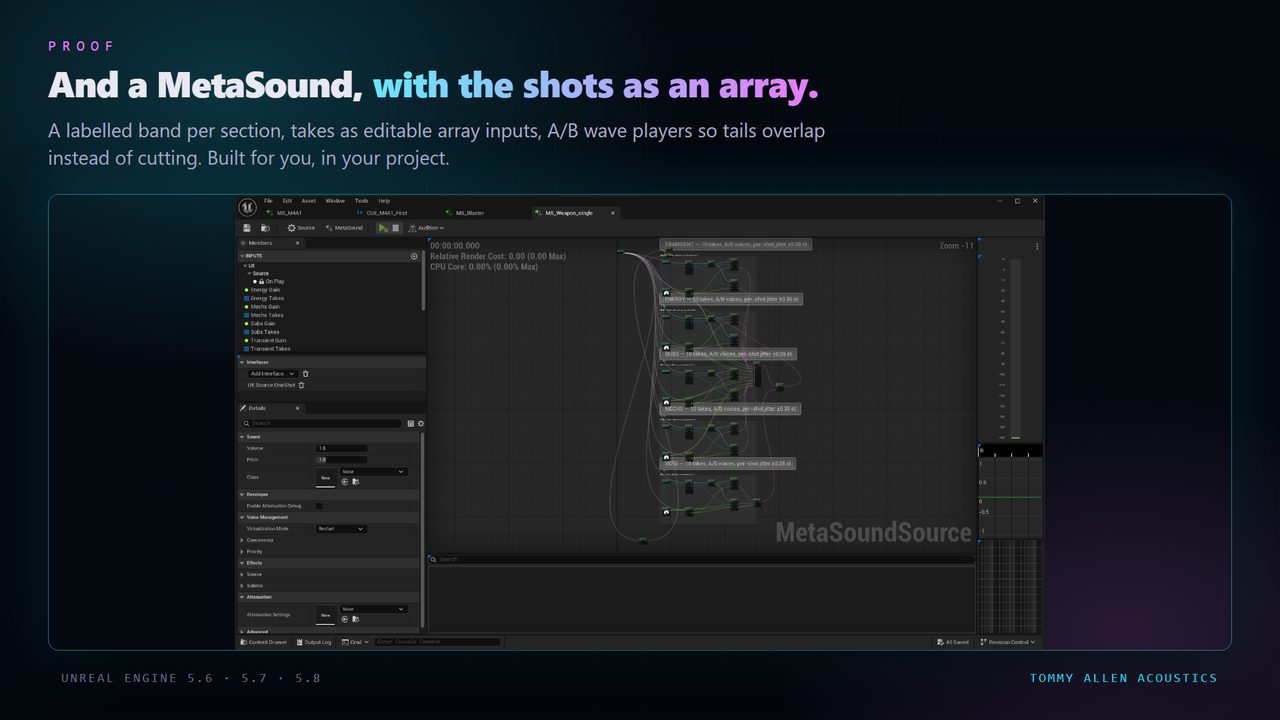
>> THE TECHNICAL BIT
Editor-only. It adds nothing to your packaged game. The sounds it builds are ordinary Unreal assets and ship like any other asset.
Unreal Engine 5.6, 5.7 and 5.8, Windows editor. Each engine version has its own build.
Requires two plugins that ship with Unreal — Python Editor Script Plugin (runs the import) and MetaSound (the asset type it generates). Both are enabled automatically. Nothing third-party to download.
Assets build under /Game/TAA/SciForge/YourName/.
>> IF SOMETHING BREAKS
Edit > Plugins and search for Python. Enable it, restart the editor, try again.Settings and tick Show Plugin Content. The toolbar button and the Tools > Tommy Allen Acoustics menu work whether you do this or not./Game/TAA/SciForge/<YourName>/ — the SoundWaves, a plain SoundCue and a MetaSound Source. If you used DOWNLOAD instead, raw WAVs land in your project's Saved/ folder and the tool prints the exact path.Set Int Parameter "AmmoCount", then Set Trigger Parameter "Fire". If you never wire it, nothing breaks — AmmoCount defaults to mid-magazine and you get an ordinary shot.Questions, bug reports and feature requests go through the Support link on the Fab listing — that reaches me directly, and I answer.